
Your till keeps selling, even offline
CTpos is till, back office and card terminal in one system for Danish shops – from the dry cleaner and the café to the shop, the salon and the workshop. With digital sales registration to the Danish Tax Agency's rules.
- Works offline
- SAF-T to Danish rules
- Updates itself

One till, set up for your trade
The industry is chosen when the company is set up. The till shows the features and words you use – "Drop-off" at the dry cleaner, "Intake" and "Repair" at the workshop. Features can be switched on and off later without changing any data.
CTpos for dry cleaners
Drop-off with order number and pick-up time, a tag on every garment, a text message when it is ready, and a page where customers check the status themselves.
- Drop-off
- Pick-up
- Mark ready
- Your clothes are ready
- New drop-off with customer, items and pick-up time. Tomorrow, Express today and the calendar skip closed days.
- One tag per garment on a label printer such as the Brother QL-560, or an ESC/POS printer. The tag layout is set in the back office.
- The order code is printed as a QR code or barcode on the receipt. Scanned at pick-up, the till finds the order at once.

CTpos for cafés and restaurants
Quick keys for what you sell most, sales without a customer, card on the terminal and a business day that fits late opening hours.
- Order
- Hand-over
- Quick keys
- The till opens with the item grid and quick keys, and a sale needs no customer.
- Park a sale, serve the next customer and pick the sale up again afterwards.
- Campaigns such as "x for a price", bundle price and "buy 3 pay for 2" are calculated automatically.
Cloud payment for restaurants, e.g. at the table coming later

CTpos for retail shops
Barcode first: scan the item, take the payment, next customer. With items from Excel, campaigns, discount limits and returns – also without a receipt.
- Barcode first
- Return
- Campaigns
- The till opens with the scan field focused. A USB or Bluetooth scanner works on every screen of the till.
- Scan with the PC camera or the payment terminal's camera when there is no scanner.
- Items are imported from Excel or CSV with a template, and import defaults fill in the rest.
CTpos for hairdressers
Calendar and online booking, treatments with processing time, colour formulas and patch tests, a consultation form with signature and tips – in the same till as the sale.
- Calendar
- Online booking
- Colour formula
- To payment
- Calendar on the till and in the back office with staff, working hours, chairs and treatments with active and processing time. To payment puts the appointment in the basket.
- Customers book on the salon’s page with text message confirmation and reminder, move and cancel with the link, and can have an account with My appointments.
- Repeat an appointment, Book again after the recommended interval and a waiting list with a text message when a time frees up.
Real online payments when booking (deposit and full amount by card and MobilePay run in test mode today) coming later
CTpos for beauty salons
Nails, lashes and brows, skin care, massage, waxing and makeup: calendar and online booking, a consultation form with signature, before/after photos with consent and stock for the products.
- Lash lift
- Form
- Before/after
- Stock
- A new salon starts with examples of manicure, gel polish, pedicure, lash lift, lash extensions, brow lamination, tinting, facials, peels, massage, waxing and makeup.
- Calendar and online booking with treatments that have active and processing time, beds as resources and text message reminders.
- Consultation form (e.g. allergies, pregnancy, medication and contact lenses before lashes) – filled in and signed on the tablet or by the customer before the visit.
Real online payments when booking (deposit and full amount by card and MobilePay run in test mode today) coming later
CTpos for service and repair shops
Repair intake with a pick-up date and a tag on the item. The customer is told when the repair is ready – by text message and online.
- Intake
- Repair
- Hand-over
- Your repair is ready
- The till uses repair-shop words: Intake, Repair and Hand-over.
- Each repair gets an order number, a pick-up date and a tag that follows the item.
- Services and spare parts as groups. Open price for work where the price is only known afterwards.
Does your business not fit? The Other profile is a general setup with quick keys, sales without a customer and customer accounts. All industries
A till for busy hands
Large buttons for touch screens, keyboard shortcuts for those fastest on the keys, and an on-screen keyboard that never covers the field.
- Park a sale and serve the next customer
- Discount per line or on the whole sale, campaigns calculate themselves
- Barcode scanner, camera or scan on the terminal
- Cash, card, MobilePay, customer account and split payment
- X report and end of day with cash count
- Light and dark colour schemes, Danish and English
When the internet drops, you keep selling
Sales, events and cash counts are stored on the till and sent to the server as soon as the connection is back. You see it in the status bar.
- Sales and receiptsWorks without internet
- Card over the shop networkWorks without internet
- Local admin of items, customers and codesWorks without internet
- Card via the server and e-mail receiptsNeeds internet
The card terminal talks directly to the till
The CTpos Payment app runs on the terminal itself. The till sends the amount, the customer pays, and the result comes back with card slips – over the shop network or via the server.
- Verifone Victa (VM100/VP100) is supported and tested
- Customers are never charged twice if the connection drops during a payment
- The terminal's camera can scan barcodes and QR codes to the till
PAX terminals with S5 coming later
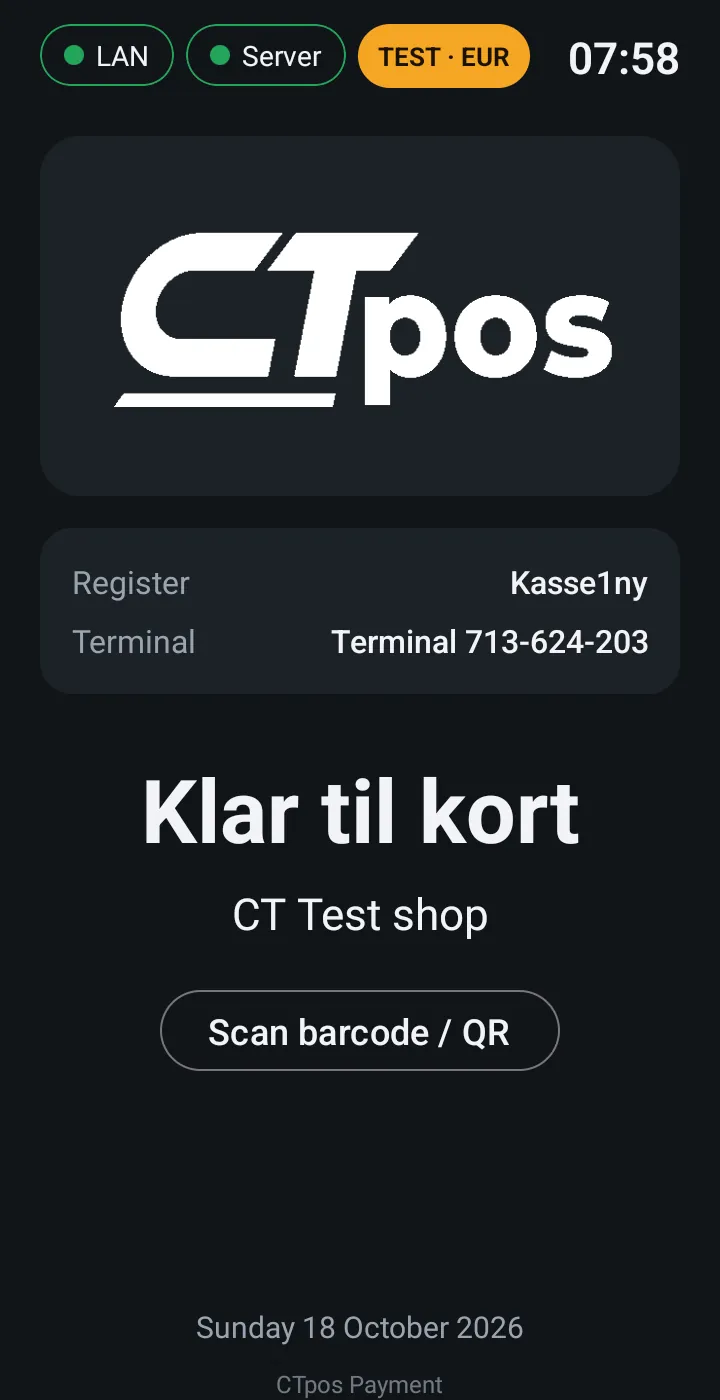
Customers can see when their order is ready
At drop-off the receipt gets a QR code. It opens the shop's own page on ctpos.online with the order's progress, opening hours and address.
- Never shows the customer's name, phone, e-mail or prices
- Each order has its own secret code
- The shop's logo and colours, light or dark, Danish or English
Back office in the browser
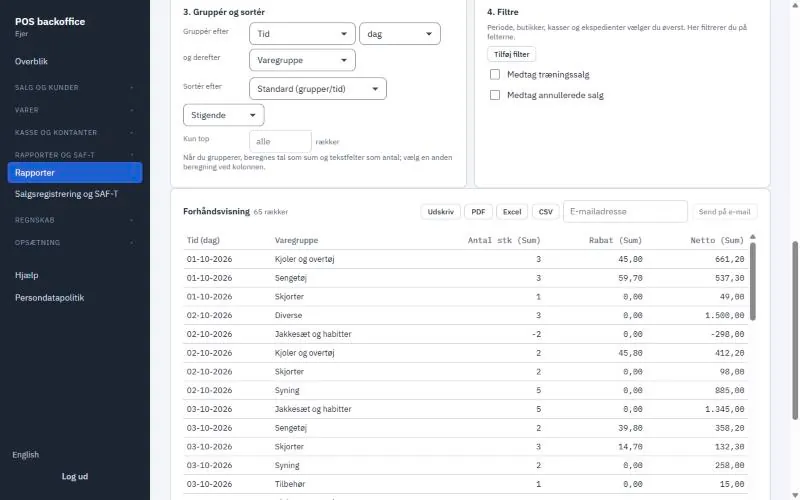
Items, prices, staff, printers and reports for every shop in one place. Changes reach the tills at the next sync.
- Standard reports and custom reports with the fields you choose
- PDF, Excel, CSV or send by e-mail
- Z reports are transferred to Dinero, OFINDA or e-conomic
- Roles and permissions per member of staff
Compliance built in
CTpos follows the Danish Tax Agency's standard for digital sales registration (SAF-T Cash Register). You do not have to keep track of the journal yourself.
Signed journal
Every sale, copy and drawer opening is recorded and signed. Corrections are new entries, never edits.
SAF-T export
Export a period as XML in the official format (XSD v1.0.4), ready for the tax agency or your accountant.
X and Z reports
End of day with cash count and difference. Z reports from every till are collected in the back office.
Receipts that follow the rules
The receipt layout can be customised, but fields required by law cannot be removed.
Personal data (GDPR)
Data processing agreement, data export, anonymisation and retention rules, with a log of actions.
Kept for 5 years
Sales, receipts, Z reports and the journal are kept on the server as the bookkeeping act requires.
It all fits together
The Windows till
Windows 10 or 11. Installs without admin rights and updates itself when it is safe.
DownloadPrinters and scanners
Receipt printer (e.g. Epson TM-T20), label printer (e.g. Brother QL-560), cash drawer and barcode scanner.
See hardwareSee CTpos in your own shop
The price depends on the number of shops and tills. Book a demo, and we will show you the system and send you a quote.